
TL;DR:
- Sprint automation reduces manual work, improves data accuracy, and streamlines sprint processes.
- It encompasses data reporting, workflow enforcement, and integration with engineering delivery.
- Successful implementation depends on team buy-in, process fixes, and gradual adoption.
Most project managers assume sprint automation is something the engineering team handles. Configure a CI/CD pipeline, set up some build triggers, and you're done. But that narrow view leaves enormous value on the table. Sprint automation covers everything from how your team captures status updates and enforces workflow rules to how you generate reports and signal true delivery readiness. Done right, it eliminates the busywork that quietly drains your team's energy every single sprint, and the benefits extend well beyond software teams.
Table of Contents
- Defining sprint automation: Beyond the buzzwords
- Core elements of sprint automation
- Benefits and ROI: How sprint automation accelerates project success
- Choosing and implementing sprint automation tools
- Why automation only succeeds when paired with team buy-in
- Accelerate your projects with Outsprinter sprint automation
- Frequently asked questions
Key Takeaways
| Point | Details |
|---|---|
| Sprint automation defined | It streamlines sprint work by automating data, workflow, and delivery steps for any team. |
| Major ROI drivers | Managers save time, teams make fewer mistakes, and projects finish faster with automation. |
| Key automation targets | Focus first on reporting, workflow enforcement, and deployment readiness for the biggest gains. |
| Tool selection matters | Choose tools supporting easy integration, clear reporting, and reliable workflows for best results. |
| Success needs buy-in | Team ownership and regular feedback loops are essential for lasting automation success. |
Defining sprint automation: Beyond the buzzwords
Sprint automation is not a DevOps concept dressed up in agile clothing. It is a discipline that applies technology to reduce or eliminate manual steps across the entire sprint lifecycle, from planning through retrospective. For project managers and team leaders, this distinction matters because the biggest time drains in most sprints are not on the engineering side. They are in the coordination layer: chasing status updates, manually compiling burndown data, or discovering a blocker after it has already stalled the sprint.
A practical way to define this is to think in three distinct layers. According to this sprint automation breakdown, "a practical way to define sprint automation is to automate (1) sprint data capture and reporting, (2) workflow hygiene, and (3) synchronization with engineering delivery." That three-part structure maps cleanly to the daily reality of running a sprint.
Here is what each layer actually means in practice:
- Sprint data capture and reporting: Automatically pulling task statuses, velocity trends, and completion rates into dashboards without anyone manually entering numbers or running pivot tables at 5 p.m. on Friday.
- Workflow hygiene: Enforcing rules about how tasks move through stages. For example, a card cannot move to "done" unless a reviewer has signed off, or a subtask cannot be skipped without a comment explaining why.
- Engineering delivery sync: Linking your project board's "done" status to actual deployment readiness, not just the moment someone drags a card across a column.
What makes this relevant for sprints for every team is that marketing, operations, finance, and product teams all run into the same coordination friction. The tools may look different, but the need is identical: reduce manual overhead, surface blockers faster, and make delivery signals accurate.
"Without sprint automation, your sprint board is often a lagging indicator of reality. Work gets marked 'done' when someone remembers to update it, not when it's actually complete."
This gap between what the board shows and what is real is where most sprint inefficiencies live. Closing it is the core promise of sprint automation.
Core elements of sprint automation
Now that we know what sprint automation really means, let's dissect the core pieces you can implement for your team.
The three pillars described above each come with concrete mechanisms. Understanding those mechanisms helps you make smart decisions about what to automate first and what tools to evaluate.
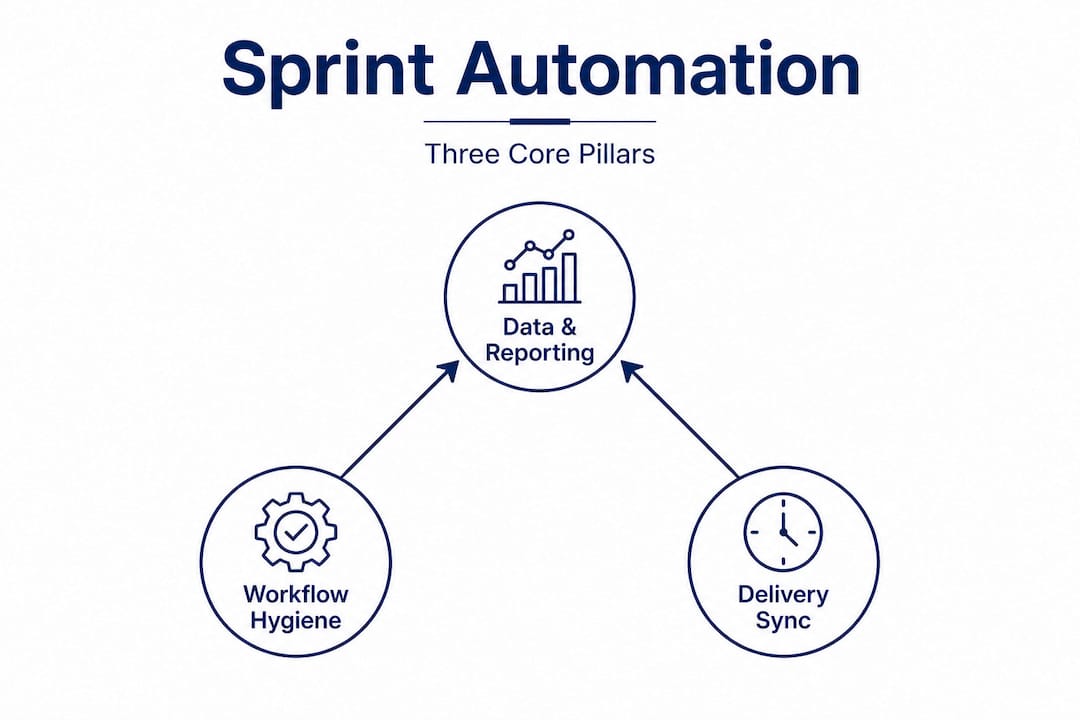
The three pillars in detail
Pillar 1: Data and reporting automation This includes automated burndown chart updates, velocity calculations, sprint summary reports, and real-time dashboard feeds. Instead of a Scrum Master spending two hours before a sprint review pulling numbers from five different sources, the system does it continuously. Teams using tools like Jira can configure dashboards that refresh the moment a task status changes.
Pillar 2: Workflow hygiene automation This covers field enforcement (requiring certain fields before a task can advance), automated reminders for stale tasks, escalation rules when a blocker sits unresolved beyond a threshold, and transition guards that enforce your definition of done. A task cannot move to "ready for review" unless acceptance criteria are filled in. These rules run silently in the background, keeping everyone honest without a manager policing the board manually.
Pillar 3: Engineering delivery sync As research on CI/CD integration confirms, "automation integrates sprint events with CI/CD workflows, aligning 'definition of done' with automated build/test/deploy steps." This means a story is only marked complete when the code has passed tests and is deployed to staging, not just when the developer says it is ready. For software teams, this is transformative. It eliminates the awkward sprint review conversation where something "done" is actually still in QA.
What gets automated at each sprint stage
| Sprint stage | What gets automated | Benefit |
|---|---|---|
| Planning | Backlog ranking, effort estimation alerts | Faster, more consistent planning |
| Execution | Status updates, blocker escalations, reminders | Less manual chasing |
| Review | Report generation, velocity calculation | Faster, data-backed reviews |
| Retrospective | Survey collection, trend surfacing | Richer insights without extra work |
| Delivery | Build/test/deploy triggers | Reliable "done" signals |
Optimal order for rolling out sprint automation
Per sprint management best practices, the sequence in which you automate matters significantly. Start where the pain is loudest.
- Automate sprint reporting first. It is the fastest win and the most visible. Teams immediately notice the time saved and the improved accuracy.
- Add workflow hygiene rules second. Once data flows cleanly, enforce the rules that keep it clean. Transition guards and field requirements reduce rework downstream.
- Integrate automated reminders and escalations third. These create accountability loops without adding management overhead.
- Connect to CI/CD last. This is the highest-value step for engineering teams, but it requires the other layers to be stable first.
Pro Tip: Don't try to automate everything at once. Pick the single process that causes the most friction each sprint and automate that first. A focused first win builds team confidence and reveals edge cases before they become expensive.
Benefits and ROI: How sprint automation accelerates project success
Understanding the nuts and bolts sets us up to analyze what you gain. Let's dig into the tangible outcomes of automating sprint processes.
The return on sprint automation shows up in four distinct areas: time, quality, morale, and decision speed. Each one compounds the others.
Time savings across the sprint
Manual status updates, report compilation, and board maintenance collectively consume hours every sprint cycle. For a team of eight running two-week sprints, that overhead can easily total five to ten person-hours per sprint. Over a year, that is weeks of productive capacity redirected toward low-value coordination work. Automation captures that time back and redirects it toward actual problem-solving.

The savings are not just for managers. Individual contributors spend real time updating cards, answering "what's the status of X?" messages, and waiting for approvals that could be triggered automatically. Cutting that overhead directly improves individual throughput.
Quality improvements through enforced standards
When your workflow automation prevents a task from advancing without meeting predefined criteria, you systematically reduce the number of defects that slip into later stages. This is not about distrust; it is about building a system that catches errors before they compound.
Automation research on CI/CD notes that "automation can help teams consistently consider work 'done' only when it's built, tested, and ready to deploy." That consistency is the quality gain. It is not that your team becomes more disciplined overnight. It is that the system enforces the discipline even on the chaotic Friday afternoon before a sprint close.
Morale and team satisfaction
This benefit often gets overlooked in ROI conversations, but it is real. When sprint automation works well, teams celebrate actual wins. There is no moment of "wait, is that really done?" in the sprint review. Velocity numbers reflect genuine progress. Retrospectives focus on improving delivery instead of debating whether the burndown data is even accurate.
Teams that operate with reliable sprint signals have stronger performance outcomes because they trust the data they are working with. That trust is hard to build manually and relatively easy to maintain with automation.
Key benefits at a glance
- Reduced time spent on manual status updates and report generation
- Fewer defects escaping sprint reviews due to enforced completion criteria
- Faster sprint retrospectives driven by reliable, pre-aggregated data
- Clearer delivery signals for stakeholders, reducing last-minute surprises
- Higher team confidence in velocity metrics and planning accuracy
- More time for continuous improvement rather than coordination firefighting
Callout: When your definition of "done" is enforced automatically, nobody is left guessing what has actually shipped. Stakeholder trust improves, and sprint reviews become celebrations rather than status checks.
Choosing and implementing sprint automation tools
So what does it take to bring sprint automation to your team? Here is a roadmap for choosing and using the right tools.
The market for project and sprint management platforms has matured significantly. Modern platforms increasingly support "automating reporting, workflow, and deployment readiness sync" out of the box. But not all tools cover all three pillars equally, so evaluation criteria matter.
What to look for in a sprint automation tool
| Criteria | Why it matters | Questions to ask |
|---|---|---|
| Integration depth | Connects your project board to CI/CD and communication tools | Does it connect to your existing stack? |
| Reporting automation | Generates sprint reports without manual input | Can it auto-generate burndown and velocity charts? |
| Workflow rules engine | Enforces transition conditions and field requirements | Can we set custom rules without coding? |
| Real-time dashboards | Surfaces live project health data | Does it update instantly as data changes? |
| Role-based access | Controls who can modify automation rules | Can we restrict editing to team leads? |
Steps for piloting sprint automation
Rolling out automation works best when treated as its own small project. Here is a practical approach:
- Identify your biggest friction point in the current sprint process. Is it reporting? Blocker escalation? Task completion accuracy? Start there.
- Choose one automation rule or workflow to test in the next sprint. Keep it narrow and observable.
- Brief the team before the sprint starts. Explain what the automation does, what triggers it, and how it affects their workflow. Surprises undermine adoption.
- Collect feedback at the retrospective. Did the automation help? Did it create confusion or extra steps? Iterate before expanding.
- Scale gradually. Add one or two new automations per sprint cycle until the core pillars are covered.
As your agile sprint automation matures, you can layer in more sophisticated rules and connect to external systems. But the pilot approach builds confidence and surfaces real-world edge cases that documentation never covers.
Pro Tip: Before automating anything, document the current manual process step by step. You will often discover the process itself is broken before you even write a single automation rule. Use the team automation checklist to audit your current workflow before adding automation on top of it.
Why automation only succeeds when paired with team buy-in
Here is what most automation playbooks get wrong, and it is a mistake that can sink an otherwise technically sound implementation.
Automation is not a management override button. You cannot roll out a set of workflow rules, deploy a new dashboard, and expect the team to embrace it because it is objectively better. That is not how people work. If your team feels like automation was done to them rather than with them, they will find workarounds. They will update cards at the last minute to satisfy the system without actually following the process. The automation becomes a compliance theater exercise, not a genuine improvement.
We have seen this happen repeatedly. A team implements sophisticated sprint automation, velocity data looks clean, dashboards look great, and then the sprint review reveals the actual work is nowhere near the state the board suggests. The automation is running. The people are not engaged with it.
The real issue in most failed automation rollouts is not technical. It is that teams are automating broken processes. If your sprint planning consistently overcommits, automating the status tracking on those overcommitted sprints does not fix the planning problem. It just makes the failure more visible and more regular. Automation amplifies what is already there. Fix the process before you automate it.
Building a KPI-driven team culture means involving your team in deciding what gets measured and what gets automated. When team members help design the workflow rules and contribute to the definition of done, they own the outcome. The automation becomes a tool that serves them, not a surveillance system that monitors them.
Feedback loops are equally critical. Build a standing retrospective agenda item specifically for automation. Ask what is working, what is creating friction, and what should be adjusted. Automation is not a one-time configuration. It is a living system that needs to evolve as the team and project mature.
The compounding gains from sprint automation only emerge when the technical implementation and the human engagement are both operating at a high level. Either one without the other produces mediocre results. Together, they create a team that improves measurably sprint over sprint.
Accelerate your projects with Outsprinter sprint automation
Ready to turn insight into action? Outsprinter is built specifically for teams that want the full benefit of sprint automation without stitching together a dozen separate tools.
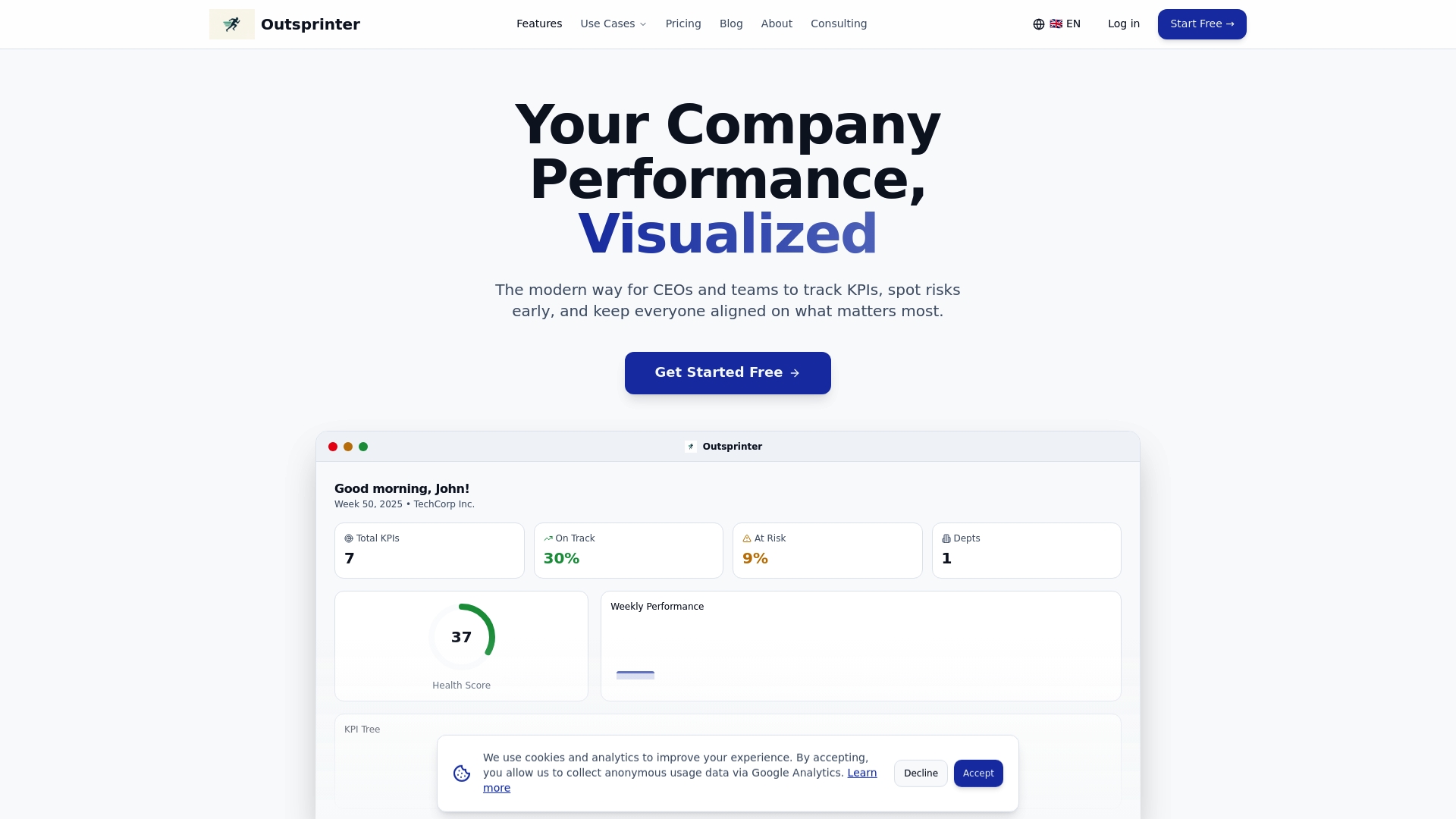
Outsprinter's project management automation features cover all three pillars: real-time dashboards that update the moment your team enters data, task automation tools that enforce workflow rules and handle recurring assignments automatically, and KPI management features that give every team leader a live view of performance across projects. Whether you are running software sprints or cross-functional marketing cycles, Outsprinter provides the integrated infrastructure to automate the right things, keep your team aligned, and make every sprint review a confident conversation backed by accurate data.
Frequently asked questions
What is the difference between sprint automation and agile automation?
Sprint automation focuses specifically on automating tasks within the sprint cycle, such as reporting, workflow rules, and delivery signals, while agile automation is a broader term that can include program-level processes, portfolio management, and coordination across multiple teams or frameworks.
Which parts of the sprint process are ideal for automation?
Sprint reporting, status updates, workflow enforcement, and deployment readiness checks are the highest-value candidates because they are repetitive, rule-based, and prone to human error when done manually.
Do small non-IT teams benefit from sprint automation?
Yes, any team running sprints can benefit from automating coordination, status tracking, and reporting, regardless of whether they ship code or deliver other types of work.
How does sprint automation impact team roles?
Automation removes the administrative burden from team leaders and members, freeing them to focus on problem-solving, collaboration, and continuous improvement rather than manual tracking and report compilation.