
TL;DR:
- Traditional task tracking methods often lead to lost work, unclear ownership, and lack of visibility.
- Modern tools centralize tasks, improve accountability, and automate updates to enhance project outcomes.
- Successful adoption requires cultural change, proper training, phased implementation, and human oversight of AI features.
Scattered emails, buried spreadsheet tabs, and verbal handoffs might work for a team of five. Scale that to fifty or five hundred, and the cracks become craters. Work gets lost. Nobody knows who owns what. Deadlines slip because nobody saw the warning signs coming. Centralized tools solve lost handoffs and unclear ownership in ways that traditional methods simply cannot match. This article walks you through the real problems with legacy task tracking, how modern tools fix them, what automation and AI add to the equation, and what to watch out for before you commit.
Table of Contents
- The hidden problems with traditional task tracking
- How task management tools create clarity and accountability
- Automation and AI: Saving time and reducing manual work
- Maximizing project outcomes: ROI, methodologies, and scalability
- Pitfalls and limitations: What to watch for
- A team leader's perspective: What most organizations overlook
- Take your team's performance further with modern task management
- Frequently asked questions
Key Takeaways
| Point | Details |
|---|---|
| Centralized control | Modern tools eliminate confusion and lost work by creating a single source of truth for teams. |
| Productivity gains | Automation and AI reduce busywork, freeing team leaders to focus on high-value tasks. |
| Evidence-backed ROI | Organizations achieve up to 384% ROI and higher project completion rates after adopting these tools. |
| Critical implementation factors | Success depends on matching tool choice to team needs and ensuring adoption through change management. |
The hidden problems with traditional task tracking
Most organizations don't realize how much work disappears inside their current systems. A task gets assigned over email. The recipient files it under a folder they never open. The project moves forward, and three weeks later, the work is still undone. Nobody flagged it. Nobody noticed. This is not a people problem. It's a systems problem.
When teams rely on email threads, shared spreadsheets, or informal messaging channels, they create what operations professionals call fragmented systems. Each tool holds a piece of the picture, but no single source of truth exists. A team leader trying to assess project health has to check four different places just to get a partial answer.
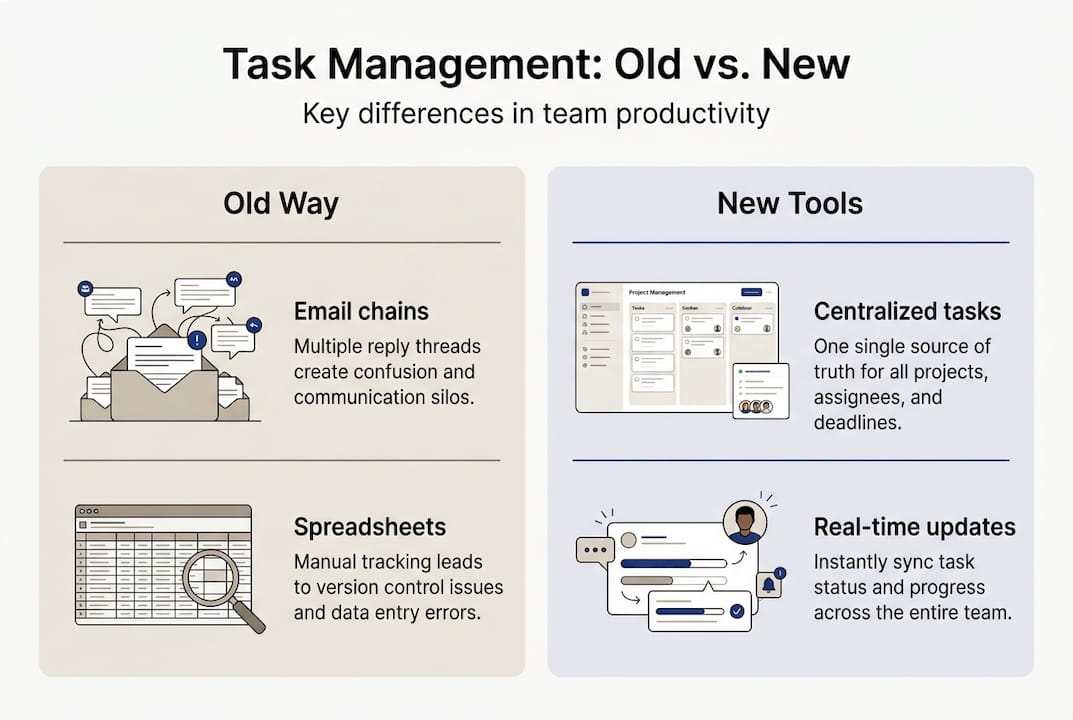
This is especially damaging in medium to large organizations where work crosses departments. A marketing deliverable depends on a design asset, which depends on a legal review, which was supposed to happen last Tuesday. When no system connects these handoffs, delays compound invisibly.
Here's what typically breaks down with legacy approaches:
- Lost handoffs: Tasks passed verbally or by email have no audit trail and no accountability.
- Unclear ownership: When everyone is responsible, no one is. Ambiguity kills follow-through.
- No real-time visibility: Leaders can't see what's overdue, blocked, or at risk without manually chasing updates.
- Duplicated work: Without a shared task list, two people often solve the same problem independently.
- Reactive management: Problems surface only after they've already caused damage, not while they can still be fixed.
"Lost work and lack of clear ownership are among the most damaging pitfalls of unstructured task management in growing organizations."
The deeper issue is that these problems scale with team size. A small team can compensate with communication. A large team cannot. If you want a broader breakdown of how this plays out across roles, the guide for team leaders covers the full picture.
How task management tools create clarity and accountability
Modern task management software works because it puts everything in one place and makes ownership impossible to ignore. Every task has a name, an assignee, a deadline, a priority level, and a current status. Anyone on the team can see it. Nobody can claim they didn't know.

Task management tools centralize work and provide the kind of visibility that email and spreadsheets never could. When a task moves from "in progress" to "blocked," the right people get notified automatically. When a deadline is three days away and nothing has moved, a leader can intervene before the project suffers.
The shift from traditional to tool-based management looks like this:
| Traditional approach | Tool-based approach |
|---|---|
| Tasks assigned via email | Tasks created with owners, deadlines, and priorities |
| Status updates require manual follow-up | Real-time status visible to all stakeholders |
| No audit trail for changes | Full history of edits, comments, and completions |
| Work siloed by individual or department | Cross-team visibility with role-based access |
| Reporting done manually | Automated dashboards and progress summaries |
Beyond visibility, these tools build accountability into the workflow itself. When someone's name is on a task and the deadline is visible to the whole team, the social and professional pressure to deliver increases. This is not about surveillance. It's about removing the ambiguity that lets important work fall through the cracks.
Features that make the biggest difference include:
- Subtasks: Break complex deliverables into manageable steps with individual owners.
- Recurring rules: Automate repeating tasks so nothing gets forgotten.
- Priority flags: Help teams focus on what matters most when everything feels urgent.
- Dependency tracking: Link tasks so teams know when upstream work is blocking downstream progress.
Pro Tip: Assign a single owner to every task, even when multiple people contribute. Shared ownership almost always means no ownership in practice.
For teams that manage multiple workstreams simultaneously, combining task management software with project management features gives leaders both the granular task view and the high-level project health picture they need.
Automation and AI: Saving time and reducing manual work
Once your team has clear ownership and centralized visibility, the next lever to pull is automation. The administrative overhead of task management, sending reminders, updating statuses, routing approvals, generating reports, eats hours every week. Those hours add up fast across a large organization.
Automation reduces repetitive manual tasks by over 40%, which means your team leaders and project managers spend less time on coordination and more time on actual work. That's not a marginal gain. For a team of twenty, recovering 40% of administrative time can free up the equivalent of several full workdays per month.
Key automation use cases worth prioritizing:
- Automated task routing: When a task is completed, the next step triggers automatically and routes to the right person.
- Approval workflows: Recurring approvals, like budget sign-offs or content reviews, run on autopilot without manual nudging.
- Status notifications: Stakeholders receive updates when tasks move, stall, or hit a deadline without anyone writing a single message.
- Reporting automation: Weekly progress summaries generate and distribute without a project manager spending an hour compiling data.
- Escalation rules: Overdue tasks automatically flag to the responsible leader so nothing slips unnoticed.
AI takes this further. Modern platforms with built-in AI assistants can analyze workload distribution, suggest better task prioritization, and surface performance patterns that humans would miss in the noise of daily operations. Curious how AI fits into broader performance strategy? The AI for task management breakdown covers the practical applications in detail.
40%+ reduction in manual task effort is achievable with well-configured automation in enterprise task management platforms.
Pro Tip: Start by automating your three most repetitive approval processes. Even modest automation in high-frequency workflows delivers immediate, measurable time savings.
Maximizing project outcomes: ROI, methodologies, and scalability
The business case for task management tools is not just operational. It's financial. ClickUp delivers 384% ROI according to Forrester research, while Atlassian's tools generate 275% ROI for enterprise teams. These are not vanity metrics. They reflect real reductions in wasted time, failed projects, and duplicated effort.
The stakes are high. 11.4% of investment is wasted due to poor project execution, and only 52% of projects meet their original timelines. For a $10 million annual project portfolio, that's over $1 million lost to execution failures. Modern task management tools directly attack those numbers.
Scalability matters as much as ROI for large organizations. A tool that works beautifully for one team needs to hold up across fifty teams with different workflows, methodologies, and reporting needs. The best platforms support:
- Kanban boards for visual workflow management and work-in-progress limits.
- Gantt charts for timeline visualization and dependency mapping.
- Eisenhower Matrix views for priority-based decision making.
- Time-blocking features for individual and team scheduling.
- Role-based access controls so sensitive project data stays protected.
- Cross-tool integrations with existing systems like Slack, Salesforce, or HR platforms.
For leaders evaluating options, the best tools for enterprises comparison breaks down what separates capable platforms from truly enterprise-ready ones. And if you want to see how task management connects to broader enterprise project execution, the operational picture becomes much clearer.
Pitfalls and limitations: What to watch for
Task management tools solve real problems, but they introduce new ones if adopted carelessly. The most common failure mode is not choosing the wrong tool. It's choosing the right tool and implementing it wrong.
73% of users abandon new productivity tools within 30 days due to complexity or poor fit. Think about that. Nearly three-quarters of tool rollouts fail before the team even gets comfortable with the interface. The investment in licensing, setup, and training evaporates.
Here's what drives abandonment and how to counter it:
- Steep learning curves: Tools with too many features overwhelm users. Counter this by enabling only the features your team actually needs at launch.
- Lack of training: Assuming teams will figure it out on their own is the fastest path to tool neglect. Budget real time for onboarding.
- Integration failures: A tool that doesn't connect to your existing systems creates another silo instead of eliminating them.
- Cost overruns: Enterprise pricing scales quickly. Audit actual usage before expanding licenses.
- Over-automation: Automating poorly designed processes just makes bad workflows run faster. Fix the process first.
"The biggest risk isn't picking the wrong platform. It's underinvesting in the human side of adoption and expecting the software to do the cultural work."
Phased adoption works best. Start with one team or one project type. Measure what improves. Expand from there. For a detailed look at what goes wrong and how to avoid it, the task management software pitfalls guide is worth reading before you commit to any platform.
A team leader's perspective: What most organizations overlook
Here's the uncomfortable truth most vendor case studies won't tell you: the tool is rarely the reason task management fails. The reason is almost always culture.
Organizations adopt software expecting it to install accountability. It doesn't. Accountability is a human behavior, and no platform creates it from scratch. What good tools do is make accountability visible and harder to avoid. That's a meaningful difference, but it requires leaders who actively reinforce the behavior the tool is designed to support.
The smartest teams we've seen succeed with task management do one thing differently. They build feedback loops. They review what the tool is actually showing them, adjust how they use it, and treat the platform as a living system rather than a one-time setup. That team management reality check mindset is what separates teams that sustain gains from those that revert to email chains six months after launch.
AI features are genuinely powerful, but they require human oversight. Blind trust in automated recommendations without understanding the underlying data creates new blind spots. Use AI as a thinking partner, not a decision-maker.
Take your team's performance further with modern task management
If this article made one thing clear, it's that the gap between teams using modern task management tools and those still relying on email and spreadsheets is growing fast. The operational, financial, and competitive costs of staying behind are real.
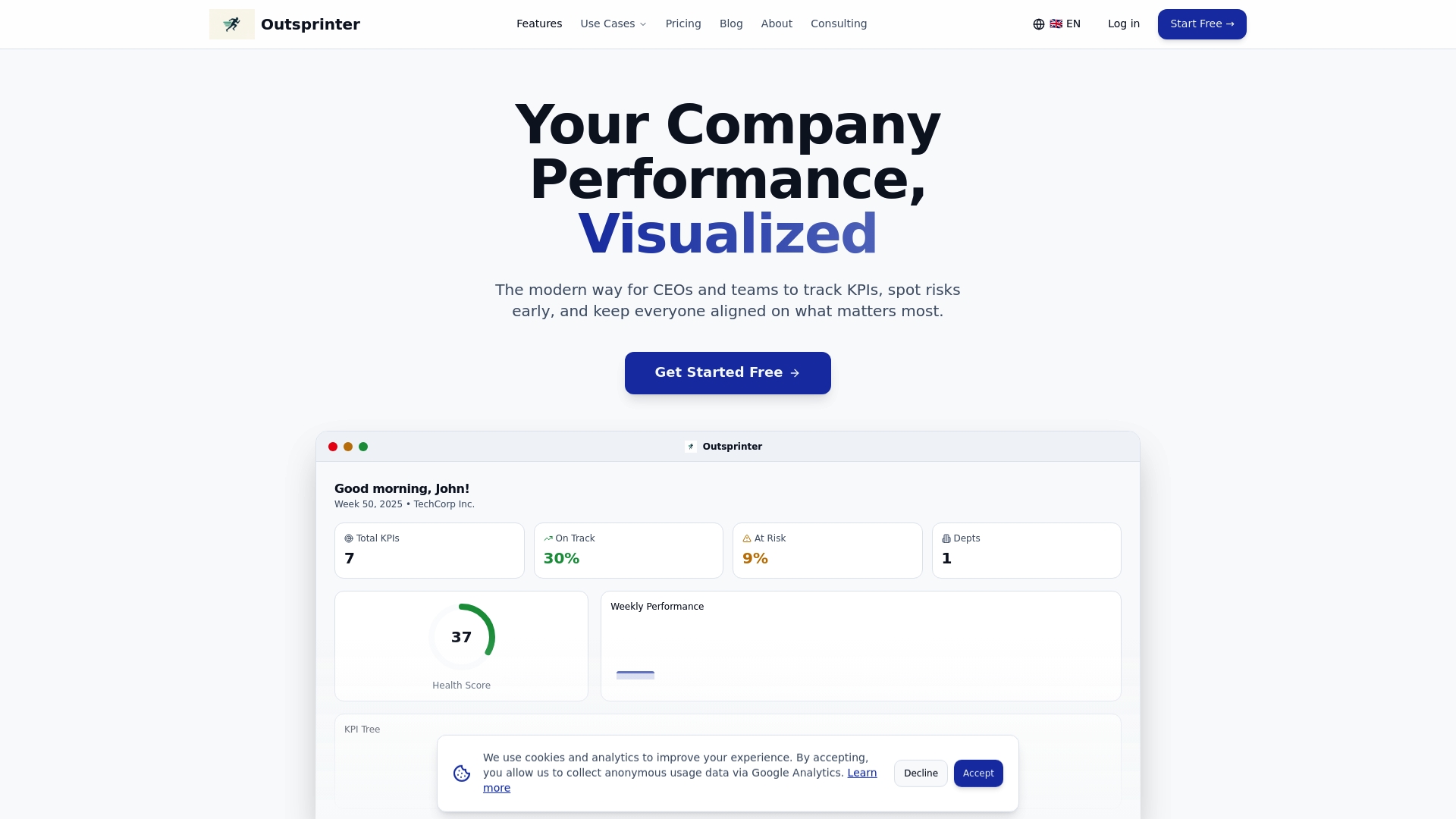
Outsprinter brings together modern task management tools with project tracking, workload analysis, and KPI tracking features in a single platform built for growing teams. You get real-time dashboards, AI-assisted insights, automated notifications, and role-based access controls, everything your organization needs to move from reactive coordination to proactive execution. If you're ready to close the gap between where your team is and where it needs to be, Outsprinter is worth a close look.
Frequently asked questions
What makes task management tools better than spreadsheets for teams?
Task management tools provide real-time visibility, clear ownership, and automated workflows that spreadsheets simply cannot replicate, especially as team size and project complexity grow.
How do automation features in task tools save time?
Automation handles repetitive work like reminders, approvals, and status updates, with well-configured automation saving teams over 40% of manual coordination effort across recurring processes.
What is the main risk of adopting task management software?
The biggest risk is tool abandonment, where 73% of users drop new tools within 30 days due to complexity or insufficient training during rollout.
Do task management tools integrate with project management methodologies?
Yes, most enterprise platforms support Kanban, Gantt, Eisenhower Matrix, and time-blocking so teams can work in the methodology that fits their workflow best.