
TL;DR:
- Security is essential to ensure KPI data integrity, confidentiality, and availability for trustworthy performance management.
- Implementing tools like role-based access control, encryption, and audit trails protects from data leaks and insider risks.
- Tracking security KPIs alongside business metrics demonstrates value, builds trust, and enhances organizational resilience.
Most business leaders treat security as a back-office concern, something IT handles while the rest of the organization focuses on results. That assumption is expensive. Your KPI system is only as trustworthy as the data flowing into it, and without proper security controls, performance numbers can be tampered with, exposed, or made unavailable exactly when decisions depend on them. Security ensures the integrity, confidentiality, and availability of KPI data in performance management systems through access controls, encryption, and compliance measures. This guide breaks down why security is a performance issue, not just a technical one, and gives you a practical framework to act on it.
Table of Contents
- Why security is the foundation of trustworthy KPI systems
- Key security mechanisms for KPI visibility and privacy
- Security metrics as KPIs: Measuring and demonstrating business impact
- Common pitfalls: Security gaps and privacy risks in modern KPI systems
- A new mindset: Security as a value driver for KPI systems
- How Outsprinter empowers secure KPI management
- Frequently asked questions
Key Takeaways
| Point | Details |
|---|---|
| Security enables data trust | Robust security makes KPI data accurate and actionable for business leadership. |
| RBAC and encryption are essential | Restricting data access and encrypting data are foundational best practices for KPI systems. |
| Security metrics drive ROI | Measuring MTTD and MTTR shows the real business impact of security on performance. |
| Aggregation thresholds prevent leaks | Hiding results for small groups protects individual privacy in dashboards and reports. |
| Proactive leaders outpace risks | Security-minded KPI management turns compliance into a competitive advantage. |
Why security is the foundation of trustworthy KPI systems
Imagine presenting quarterly results to your board, only to discover afterward that the underlying data was modified by an unauthorized user two weeks earlier. Every decision made from that report is now suspect. That scenario is not hypothetical. It happens in organizations that treat security as an afterthought, layered on top of KPI systems rather than built into them.
Security serves three pillars in any reliable performance management environment:
- Integrity: KPI data must be protected from unauthorized changes, whether accidental or deliberate. If a sales figure or a customer satisfaction score can be edited without a trace, the entire KPI system loses its credibility.
- Confidentiality: Sensitive business metrics, such as revenue targets, employee performance scores, or operational margins, must only be visible to those who need to see them. Exposed data creates competitive and legal risk.
- Availability: Decision-makers need access to accurate, current KPIs whenever they need them. Ransomware, system outages, or poor access design can cut off that access entirely.
The business case for treating security as foundational is well established. Organizations that do not enforce strong security around their performance data expose themselves to security metrics perspectives that reveal how quickly credibility erodes after a breach.
"A KPI is only as meaningful as the data behind it. Secure the data, and you secure the decision."
Linking KPI data integrity to real business outcomes means recognizing that inaccurate or compromised performance data is not a reporting problem. It is a leadership problem. Boards, investors, and regulators increasingly demand that performance data be audit-ready and provably accurate. Secure performance management practices create the conditions where KPIs can actually drive strategy rather than obscure it.
With this essential connection laid out, it is critical to understand exactly how organizations architect security into their KPI systems.
Key security mechanisms for KPI visibility and privacy
Knowing why security matters is different from knowing how to implement it. Fortunately, the core mechanisms are well tested, and when applied correctly, they protect your KPI data without making it harder for legitimate users to work with it.
Here are the four primary tools in a security-first KPI architecture, comparing their purpose and typical implementation:
| Mechanism | What it protects | Common implementation |
|---|---|---|
| Role-Based Access Control (RBAC) | Who sees which KPIs | Permission groups by department or role |
| End-to-end encryption | Data in transit and at rest | TLS, AES-256 |
| Audit trails | Who accessed or changed what | Timestamped access logs |
| Aggregation thresholds | Individual privacy in reports | Suppress data for groups under 10 |
Key methodologies include RBAC, encryption, audits, and aggregation thresholds to prevent data leakage in dashboards. Each one addresses a different vulnerability.
Here is how to implement RBAC for a KPI system step by step:
- Map every KPI to the business function that owns it.
- Define user roles based on organizational hierarchy, not job titles alone.
- Assign read, edit, or admin permissions per role for each KPI category.
- Test the permission model with a non-admin account before full rollout.
- Schedule quarterly reviews to remove access for changed or departed roles.
For boosting KPI performance across the organization, the practical benefit of RBAC is significant: team leads see only what their teams produce, executives get the aggregated picture, and sensitive financial or HR KPIs stay locked behind additional permission layers.
Privacy-preserving dashboards also rely on aggregation thresholds, which prevent individual data points from being inferred even when viewing group-level results.
Pro Tip: When setting up RBAC for the first time, start with the principle of least privilege. Give each user only the minimum access needed for their role. You can always expand permissions later, but recovering from over-permissioning after a data exposure is far more costly.
Strong KPI management strategies always include a security review of who has access to performance data, because the biggest risks often come from inside the organization, not outside it.

Security metrics as KPIs: Measuring and demonstrating business impact
Here is an insight most performance managers overlook: security is not just something that protects your KPIs. Done correctly, security becomes a KPI category in its own right, one that senior leaders and boards increasingly track alongside revenue, customer satisfaction, and operational efficiency.
The most widely used security metrics like MTTD and MTTR measure how fast your organization detects and responds to incidents. These are not just technical indicators. They directly affect how long a breach has to damage your performance data before anyone notices.
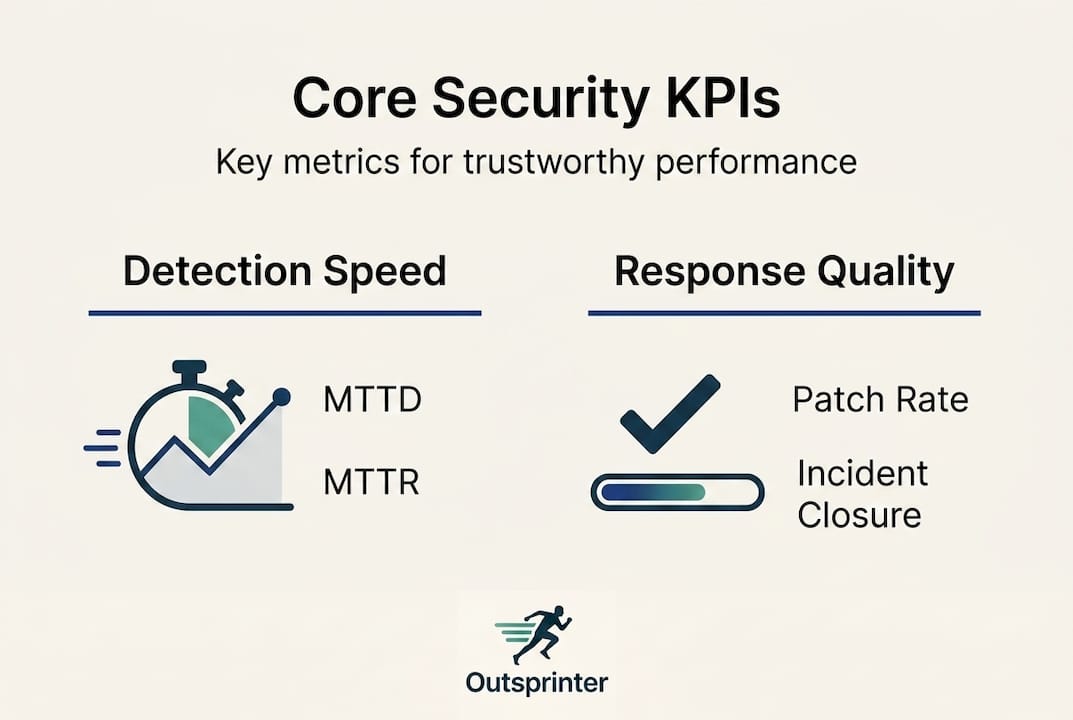
| Security KPI | Benchmark target | Business outcome |
|---|---|---|
| Mean Time to Detect (MTTD) | Under 24 hours | Minimizes data exposure window |
| Mean Time to Respond (MTTR) | Reduced via automation | Limits operational disruption |
| Patch compliance rate | Above 90% | Reduces attack surface |
| Access review frequency | Quarterly minimum | Prevents privilege creep |
The financial case for tracking these KPIs is compelling. AI and automation save $1.76M per incident on average compared to organizations without these tools. Some organizations also report 45% reductions in MTTR after adopting automated response workflows.
For security KPI examples relevant to different business functions, consider how SLA compliance, data availability rates, and audit pass rates can sit alongside traditional KPIs in a single dashboard. This approach is what business-aligned security KPIs look like in practice.
- Security KPIs connected to revenue protection demonstrate direct ROI.
- Patch compliance above 90% is linked to lower breach likelihood in audited organizations.
- MTTR improvements reduce the compounding cost of downtime on performance targets.
For performance tracking for leaders at the executive level, integrating security metrics into the same dashboard as business KPIs makes the risk-to-outcome relationship visible and actionable. That visibility alone changes how organizations prioritize security investment.
Next, let's look at the challenges and vulnerabilities that persist, even in well-secured KPI systems, and how advanced practices can close these gaps.
Common pitfalls: Security gaps and privacy risks in modern KPI systems
Even organizations with solid security frameworks run into problems they did not anticipate. KPI systems have specific vulnerabilities that generic cybersecurity advice does not always address.
Re-identification risk is one of the most common and least discussed. When your dashboard displays segment-level KPIs for groups of fewer than 10 users, a savvy viewer can sometimes work backward to identify individual performance data. The fix is straightforward: small group aggregation risks are solved by setting a minimum group threshold and suppressing results below it.
Differencing attacks are another underappreciated threat. If a user can apply sequential filters to a dashboard, they can sometimes isolate one person's data by comparing filtered and unfiltered results. Preventing this requires controls on how filters combine with aggregation rules.
Legacy system vulnerabilities deserve special attention. The Maersk ransomware attack became a defining case study in how outdated systems can bring an entire organization to a standstill. For KPI-dependent companies, a similar attack means performance tracking goes dark precisely when leadership needs visibility most.
Here is a practical checklist for KPI security hygiene:
- Enforce minimum group sizes of at least 10 users before aggregated data is displayed.
- Restrict filter combinations that could enable differencing attacks.
- Run penetration tests on dashboards at least annually.
- Retire or isolate legacy systems that cannot receive modern security patches.
- Require multi-factor authentication for access to executive-level KPI views.
With a clear understanding of pitfalls, it is time to consolidate how leaders can make security a built-in KPI discipline, not an afterthought. Your organizational performance guide should include security protocols as standard operating procedure, not optional add-ons. Choosing KPI management software that has these controls built in, rather than bolted on, removes most of these risks before they reach your team.
Pro Tip: Schedule a formal privacy audit of your KPI dashboard filters every six months. Ask someone outside the data team to attempt a differencing attack using publicly known filter combinations. If they can isolate individual data, your threshold settings need adjustment.
A new mindset: Security as a value driver for KPI systems
We have spent years watching organizations treat security as a compliance obligation, something to satisfy auditors and then ignore until the next review cycle. That framing is not just wrong. It actively costs organizations competitive ground.
The leaders who get this right understand something that most miss: when security is invisible, it means it is working. Stakeholders trust the numbers. Investors rely on the reports. Teams engage with KPIs because they know the data is clean. That trust is a real business asset, and it compounds over time.
What we consistently see is that business-aligned security KPIs, the kind connected to revenue protection, SLA performance, and audit readiness, get executive buy-in that purely technical metrics never achieve. Executives fund what they can measure and connect to outcomes. Security framed as "reduced breach cost" and "protected KPI credibility" lands in boardrooms in a way that "improved firewall configurations" never will.
Leadership for KPI success means owning the full picture: strategy, execution, and the security infrastructure that makes performance data trustworthy. The organizations that build security into KPI design from day one are not just better protected. They are better managed.
How Outsprinter empowers secure KPI management
Ready to put a security-first approach to KPI management into practice? Security principles only create value when the platform supporting them is built to enforce them consistently.
Outsprinter's KPI management software combines enterprise-grade security with real-time performance tracking that updates the moment your team enters data. Role-based access control, audit trails, and permission-based visibility are built into the platform, not added on as upgrades. Whether you are managing departmental KPIs or organization-wide performance, Outsprinter's project management and tracking tools keep your data accurate, private, and always available to the people who need it. Explore the full Outsprinter platform and see how secure KPI management actually feels in practice.
Frequently asked questions
What are the biggest security risks in KPI systems?
The main risks are unauthorized access, data leaks via dashboards, and outdated systems vulnerable to modern attacks like ransomware, which can take performance tracking completely offline.
How does role-based access control improve KPI security?
RBAC limits KPI data access to approved users only, with RBAC permissions by role reducing both insider risk and accidental data exposure across departments.
Can security KPIs be tracked alongside traditional business KPIs?
Yes. Metrics like MTTD, MTTR, and patch compliance are now standard parts of balanced KPI portfolios because they connect directly to business continuity and revenue protection.
What is an aggregation threshold, and why does it matter?
Aggregation thresholds suppress results for groups smaller than a set minimum, typically 10 users, preventing dashboard viewers from identifying individual performance data within a report.
How can I get started with secure KPI tracking?
Choose a platform with built-in RBAC, encryption, and audit features, then train your team on privacy practices. Security ensures integrity and availability of KPI data, so the platform you choose should make these non-negotiable defaults, not optional settings.
Recommended
- Organizational performance guide: boost KPI results | Outsprinter
- Why Secure Performance Management Drives Team Results
- KPI management explained: strategies for better performance
- Outsprinter - Team Performance & Sprint Management Platform
- Ping Identity Universal Services: Neuer Standard für kontinuierlichen Vertrauensschutz gegen KI-getriebenen Betrug