
TL;DR:
- SaaS provides real-time, centralized dashboards that improve decision-making and team productivity.
- It eliminates traditional headaches like data silos, manual updates, and slow deployment.
- Successful SaaS adoption requires careful vendor evaluation, user training, and aligning technology with strategy.
Most managers running medium to large organizations have felt the frustration of pulling data from three different spreadsheets, two email chains, and a reporting tool that updates once a week. By the time you have a clear picture, the moment to act has already passed. Traditional performance tracking tools are fragmented, slow, and built for a world that no longer exists. SaaS solutions change that equation completely. They can boost productivity by 40% and reduce employee turnover by 30%, and this guide explains exactly why they are becoming the standard for high-performing organizations.
Table of Contents
- What makes SaaS different from traditional performance tracking?
- Core benefits of SaaS for performance tracking and team productivity
- Addressing common concerns and emerging best practices
- How to choose the right SaaS platform for your organization
- Our perspective: Why SaaS adoption is reshaping organizational success
- Next steps: Elevate your performance tracking with Outsprinter
- Frequently asked questions
Key Takeaways
| Point | Details |
|---|---|
| Real-time insights | SaaS enables instant access to performance data, improving decision speed and accountability. |
| Boosted productivity | Switching to SaaS platforms has shown up to 40 percent gains in team productivity. |
| Enhanced security | Modern SaaS solutions provide strong security features and compliance for sensitive data. |
| Scalable and flexible | SaaS grows with your business, adapting to changing needs without large IT investment. |
| Easy implementation | Choosing the right SaaS tool can streamline deployment and speed up user adoption. |
What makes SaaS different from traditional performance tracking?
Now that you've glimpsed SaaS's transformative potential, let's clearly contrast it with traditional methods. Understanding what is performance tracking is the starting point, but knowing how you track it determines whether you win or lose on speed and accuracy.
Traditional on-premise tools require your IT team to install, configure, and maintain servers. Every update is a project. Every new user is a license negotiation. Data lives in silos across departments, and getting a unified view of team performance often means a custom report built by someone in IT who has five other priorities. That is not a system built for fast decisions.
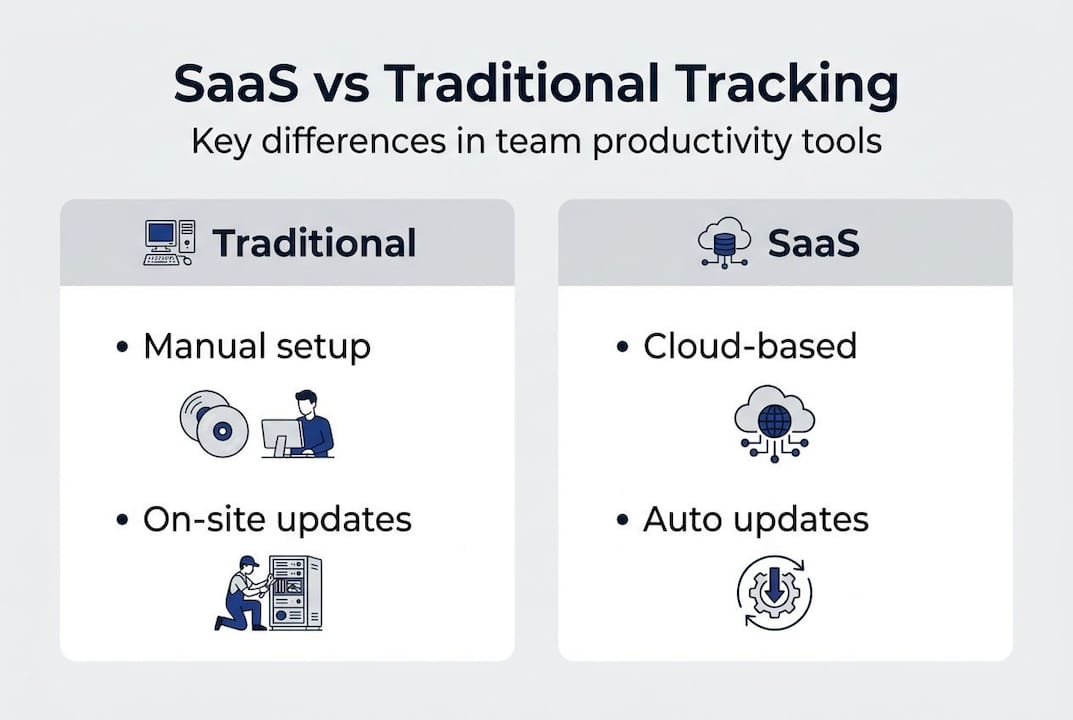
SaaS works differently. It lives in the cloud, scales with your team, and updates automatically. You get centralized dashboards that pull live data across every department. SaaS provides unified views that help managers make better decisions without waiting for weekly reports or manual data consolidation. The key SaaS features that matter most include automatic updates, role-based access, API integrations, and real-time reporting.
| Feature | SaaS | Traditional (on-premise) |
|---|---|---|
| Setup time | Hours to days | Weeks to months |
| Updates | Automatic | Manual, costly |
| Scalability | Instant | Requires new hardware |
| Real-time data | Yes | Rarely |
| Integration | API-ready | Limited or custom-built |
| Cost model | Subscription | Large upfront capital |
| Maintenance | Vendor-managed | Internal IT burden |
Common headaches with on-premise tools that SaaS eliminates:
- Data silos that prevent cross-team visibility
- Manual updates that create version inconsistencies
- High upfront licensing and hardware costs
- Long deployment cycles that delay team adoption
- Limited mobile access for remote or hybrid workers
- No automatic compliance updates when regulations change
- Slow, static reports that are outdated before they are read
The shift is not just technical. It is operational. When your tracking system stops being a bottleneck, your team starts moving faster.
Core benefits of SaaS for performance tracking and team productivity
With the differences set out, let's get specific on the measurable benefits SaaS unlocks for your team. Boosting team productivity is not a vague aspiration when you have real-time data driving real-time decisions.
Real-time dashboards are the most immediate win. Instead of waiting for end-of-week reports, managers can see task completion rates, KPI progress, and project health the moment data changes. That speed lets you intervene before a small delay becomes a missed deadline.

Automated reporting eliminates the hours your team spends compiling numbers manually. When reporting is automatic, it is also more accurate. Human error in spreadsheets is a known productivity drain, and removing it frees your team to focus on analysis rather than data entry.
| Benefit | Impact area | What it means in practice |
|---|---|---|
| Real-time dashboards | Speed | Issues spotted in minutes, not days |
| Automated reporting | Accuracy | Fewer errors, faster delivery |
| Centralized KPI tracking | Visibility | Every team aligned on the same goals |
| Role-based access | Security | Right data to the right people |
Switching to SaaS can boost productivity by 40% and reduce turnover by 30%, which means your investment pays back in both output and retention. Better organizational performance decisions flow directly from having accurate, timely data at every level of management.
Top 3 ways SaaS improves team decision-making:
- Instant visibility into team and individual KPIs removes guesswork from performance conversations.
- Shared dashboards align all stakeholders on the same data, reducing conflicting reports and unproductive debates.
- Historical trend analysis helps managers spot patterns over time, not just react to today's numbers.
Pro Tip: Before rolling out a new SaaS platform, identify two or three enthusiastic early adopters on your team. Let them explore the tool first and become internal champions. Peer-driven adoption moves three times faster than top-down mandates.
Addressing common concerns and emerging best practices
Of course, moving to SaaS isn't without questions. Let's tackle your biggest concerns and highlight what works today.
Security is the concern that comes up first in nearly every SaaS evaluation, and it is a fair one. The good news: leading SaaS vendors now invest more in security than most mid-size organizations ever could internally. Enterprise-grade encryption, multi-factor authentication, and regular third-party audits are standard. Look for certifications like SOC 2 Type II and ISO 27001 as minimum benchmarks.
Reliability is another common worry. Cloud infrastructure from top-tier providers typically guarantees 99.9% uptime or better, which outperforms most on-premise setups that depend on internal IT response times during outages. Your SaaS vendor's uptime is their business model. Your internal server room's uptime is someone's side responsibility.
For secure SaaS performance management, best practices include data encryption at rest and in transit, clear data residency agreements, and a vendor-provided audit trail for compliance reviews.
"Hybrid models are emerging for regulated industries," according to Forrester's analysis of the evolving SaaS landscape, giving organizations in healthcare, finance, and government new options that balance cloud agility with data control requirements.
Practical questions to ask any SaaS vendor before signing:
- What certifications do you hold (SOC 2, ISO 27001, GDPR compliance)?
- Where is our data stored, and can we specify region?
- What is your average incident response time?
- How do you handle data portability if we choose to leave?
- What is your backup frequency and recovery time objective?
Pro Tip: Before committing to a full deployment, run a 30-day pilot with one team and a defined set of KPIs. Measure adoption rate, time saved on reporting, and user satisfaction. Real numbers from your own context beat any vendor case study.
How to choose the right SaaS platform for your organization
Equipped with practical advice on what to look out for, here's a clear path to choosing the perfect SaaS fit. Selecting the right SaaS is key for maximizing team ROI and ensuring scalability as your organization grows.
Start with a needs analysis. Document what your current tracking process looks like, where the biggest delays happen, and what decisions you wish you could make faster. That list becomes your feature requirement doc.
Next, evaluate vendors against it. Don't rely on feature marketing pages alone. Use your requirements to run structured demos where vendors show you exactly how their platform handles your specific scenarios. Review performance management strategies and performance management trends to sharpen your evaluation criteria before demos.
Must-have features for effective performance tracking:
- Real-time dashboards with customizable views per role
- Integration with existing tools (HR systems, project management, CRMs)
- Flexible KPI creation and visualization options
- Robust user and permission management
- Automated alerts and notifications
- Data export in standard formats (CSV, Excel)
- Dedicated onboarding and ongoing customer support
Stages of a successful SaaS implementation:
- Needs analysis — define the gaps your current tools leave open.
- Vendor shortlist — narrow to three platforms that meet your core requirements.
- Security review — validate certifications, data residency, and compliance terms.
- Pilot program — deploy with one team, set measurable success criteria.
- Team feedback loop — gather structured input before full rollout.
- Full deployment — roll out with training resources and a clear support path.
- Ongoing optimization — schedule quarterly reviews of KPIs and platform usage.
User training is not optional. Even the best platform fails if your team does not know how to use it. Budget for onboarding sessions and designate internal power users who can support colleagues after launch.
Our perspective: Why SaaS adoption is reshaping organizational success
To close, let's share an experienced viewpoint on what truly powers organizational transformation with SaaS.
Here is something most SaaS articles won't tell you: the technology is rarely the hard part. The hard part is what the technology forces you to confront. When everyone on your team sees the same real-time data, underperformance becomes visible. Accountability becomes unavoidable. That transparency is uncomfortable for some organizations, and that discomfort is actually a sign the tool is working.
The pitfall we see most often is automation without strategy. Managers who plug SaaS into a broken reporting process don't fix the process. They just surface the dysfunction faster. Before you automate anything, clean up your KPI definitions and make sure your goals are genuinely aligned to business outcomes.
The teams that see real ROI with scalable SaaS are the ones that pair the platform with a culture of fast, transparent feedback. As we see it: SaaS delivers the most value when it changes how teams think and act, not just how they track.
Next steps: Elevate your performance tracking with Outsprinter
Ready to see real-world SaaS in action? Outsprinter brings these benefits to your fingertips.
Outsprinter is built specifically for managers and team leaders who need more than a spreadsheet. From real-time KPI tracking that updates the moment your team logs progress, to advanced task management with priorities, deadlines, and subtasks, every feature is designed around visibility and speed.
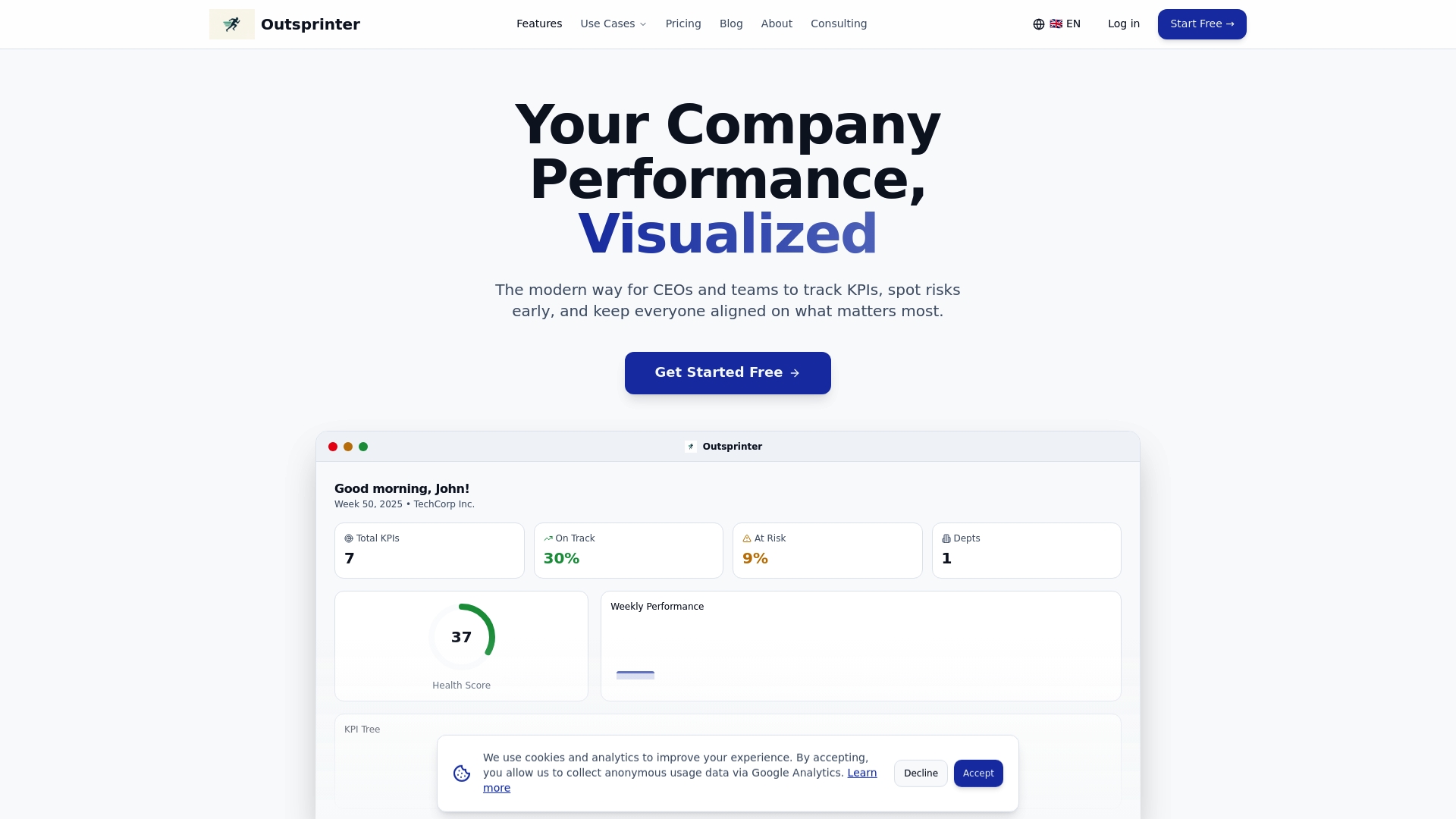
The Outsprinter platform also includes goal planning, AI-powered performance insights, and role-based dashboards so every stakeholder sees exactly what they need. Whether you are starting a pilot with one team or rolling out organization-wide, Outsprinter scales with you. Explore a demo today and see what your performance data looks like when it actually works for you.
Frequently asked questions
What is the primary advantage of using SaaS for performance tracking?
The main advantage is real-time visibility across teams, which enables faster, data-driven decisions. Unified views enhance decision-making and can increase productivity by up to 40% compared to fragmented traditional tools.
How secure are SaaS platforms for sensitive performance data?
Leading SaaS platforms use enterprise-grade encryption, multi-factor authentication, and compliance certifications like SOC 2 and ISO 27001. SaaS vendors offer protections that typically exceed what most internal IT teams can maintain independently.
What should we consider when selecting a SaaS tool for our organization?
Evaluate features, integrations, security certifications, support quality, and ease of use, then run a structured pilot with key team members before full deployment. Effective selection is critical for maximizing ROI and achieving meaningful performance gains.
Are hybrid SaaS models available for regulated industries?
Yes, hybrid deployment options are emerging specifically for organizations in healthcare, finance, and government that have strict compliance and data residency requirements, giving them cloud benefits without sacrificing control.